Eko Electricity Distribution Company Online Payment
Did you just got your Eko Electricity Distribution Company (EKEDP) meter fixed and you are searching for how you can be paying your electricity bills online from the comfort of your home or office using your mobile phone or computer? If yes, then this post is for you.

Paying your Eko Electricity Distribution Company electricity bill online is not as hard as you think, all you need to get started is a smart phone, a good internet connection and you set to go.
Follow the simple procedures outlined below to pay your Eko Electricity Distribution Company electricity bill online:
Eko Electricity Distribution Company Online Payment Via PHCN Official Website
Step 1. Visit the PHCN official website: http://www.phcnpins.com/
Step 2. Choose an online payment method.
Step 3. You have to enter your Meter number.
Step 4. Type in your mobile phone number.
Step 5. Enter your email address.
Step 6. Type in the amount you want to pay in Naira.
Step 7. Click on ‘Submit’ to complete your payment.
Note: This method is also available for Ikeja and Ibadan PHCN companies.
Eko Electricity Distribution Company Online Payment Via Vtuking
Step 1. Login to your VTUking App.
Step 2. Click on Electricity.
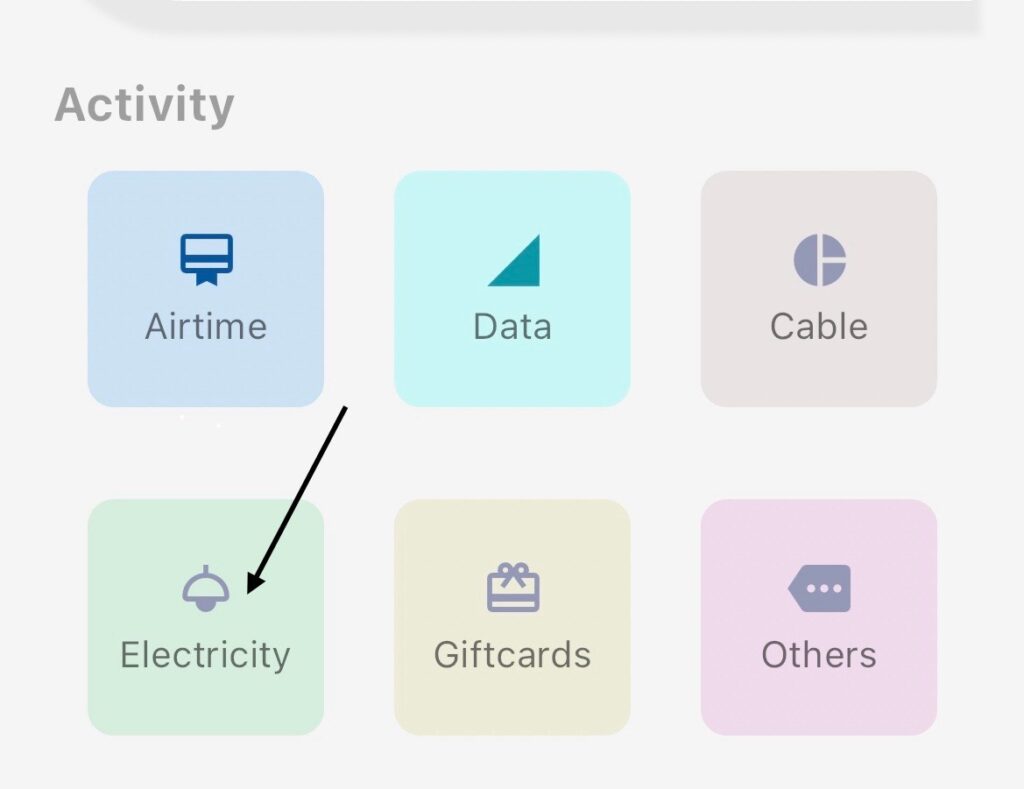
Step 3. Select Account type. Choose Eko Electricity(EKEDC)

Step 4. Select Meter Option, either Prepaid or Postpaid.

Step 5. Input the Meter Number
Step 6. Input Amount of Electricity Bill you want to pay.
Step 7. Input Your Phone Number
Step 8. Click on Proceed
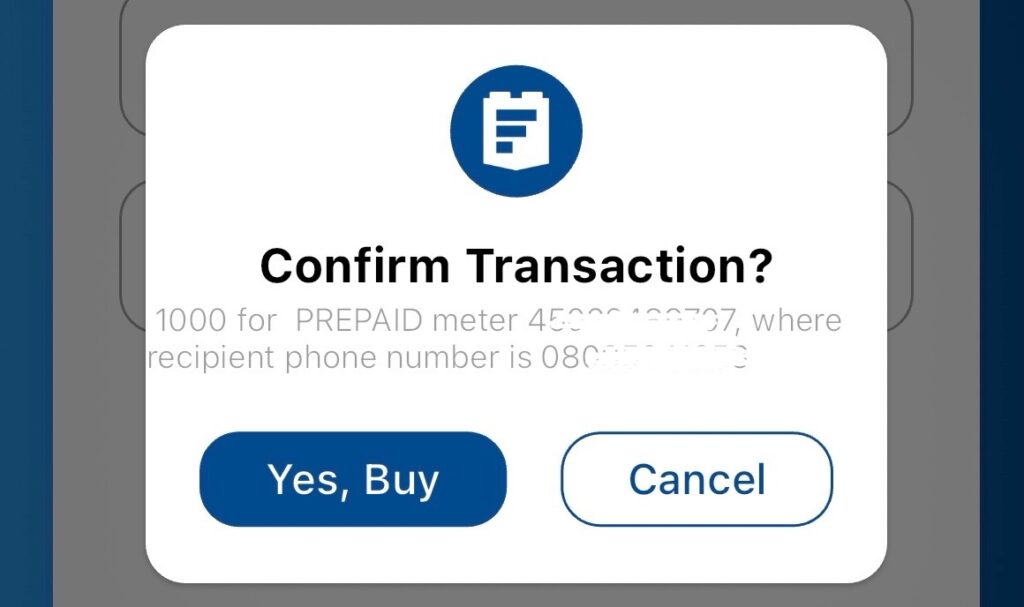
A Confirmation page would pop up.
Step 9: Click on Yes,Buy or click Cancel to forfeit the payment.
For further complaints or enquiries about EKEDP services, Vist EKEDP head office at 24/25, Marina, Lagos Island, Lagos or contact their customer care by calling their helpline: +234 708 065 5555 or sending them a mail @ [email protected].
Feel free to drop your comments or questions below in the comment section below!!!